01 · The angle
One master, one copy, no guessing
Connect the drive, pick the folders, see the difference, sync.
You pick the master, and the other side is made to match it. The master always wins, and nothing is ever deleted for good.
3Kinds of difference
1Master that always wins
0Files deleted for good
02 · Compare
Only in master, only in target, changed
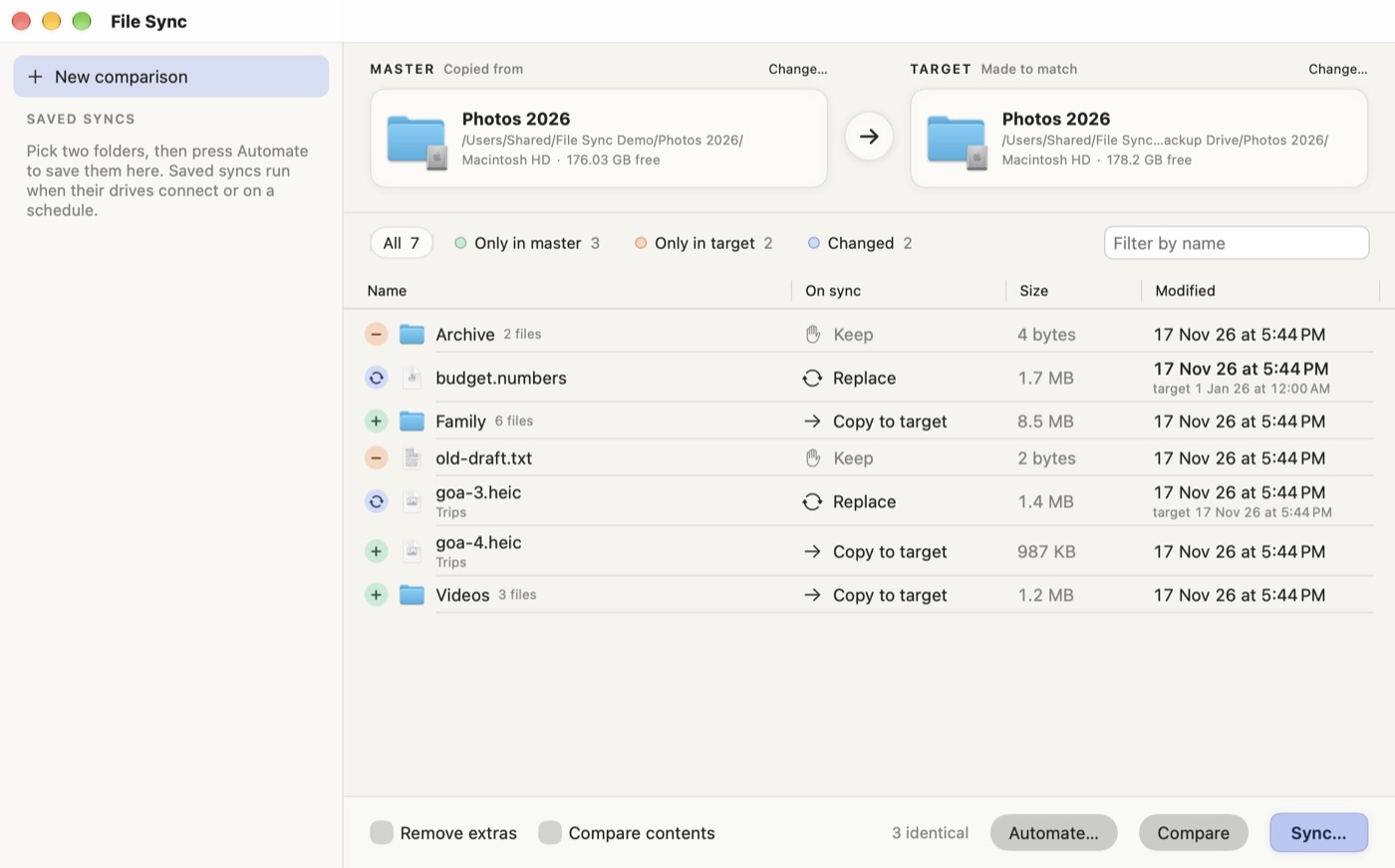
Press Compare and every difference lands in one of three groups, each with its own colour and a filter chip that counts it:
- Only in master: copied to the target.
- Only in target: kept, or moved to the Trash if you turn on Remove extras.
- Changed: the target's copy is replaced, with a note when the target's copy is newer.
A whole folder missing from one side shows as one row with its file count, not hundreds of lines. Files match by size and date, with two seconds of slack for exFAT drives, and a switch can compare the contents too. Clutter like .DS_Store is ignored. Want your own drives in one list? File Sync is free and installs in five steps.