01 · The angle
A map of pictures instead of a long grid
Open the app and your trips, your city and your favourite corners appear as a map of pictures. The map is the home screen, and you never type a place name: the photos bring their own.
"Look how much of the world I've seen."
Map firstThe map is the home screen
Zero typingLocations come from the photos
FreeFor now, while it grows
02 · Import
A map that fills itself
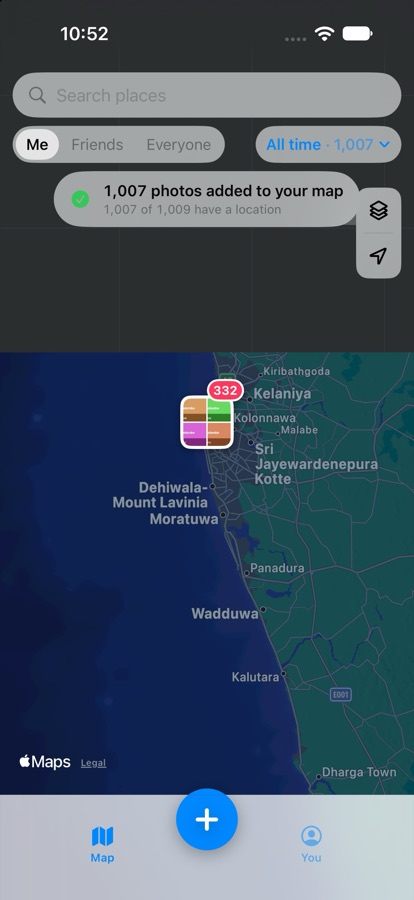
Three short intro cards, one tap for photo access, and the map starts filling itself. The app reads the location saved in each photo and places it. It opens where most of your photos are, and after that wherever you left it.
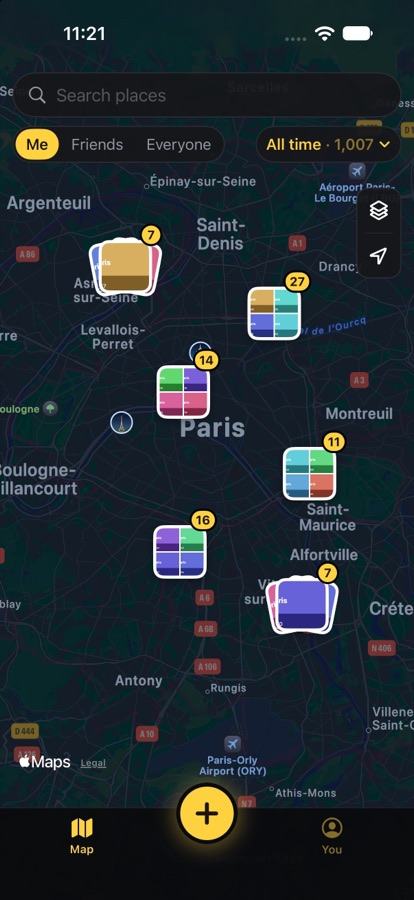
- Zoomed in: single photos pop out as small framed pins.
- Zoomed out: when more than ten photos sit close together, they merge into one collage tile the same size as a photo, and collages merge again as you zoom further out.
- Map styles: dark by default, with a switch to Satellite or Standard.
Take a new photo and the map glides to its place as it pops in, so the map always feels alive. Tapping a pin opens a half-height sheet: drag it up for the full photo, or swipe through the other photos taken at the same spot.